01 / 04LegalTech · Web app

Making the first steps of legal services clearer for clients and professionals.

A legal services platform designed to reduce friction between clients and legal professionals during the early stages of legal and notarial processes.

VIEW WEBSITE ↗︎
LegalTech · Web appAbogato

Live product

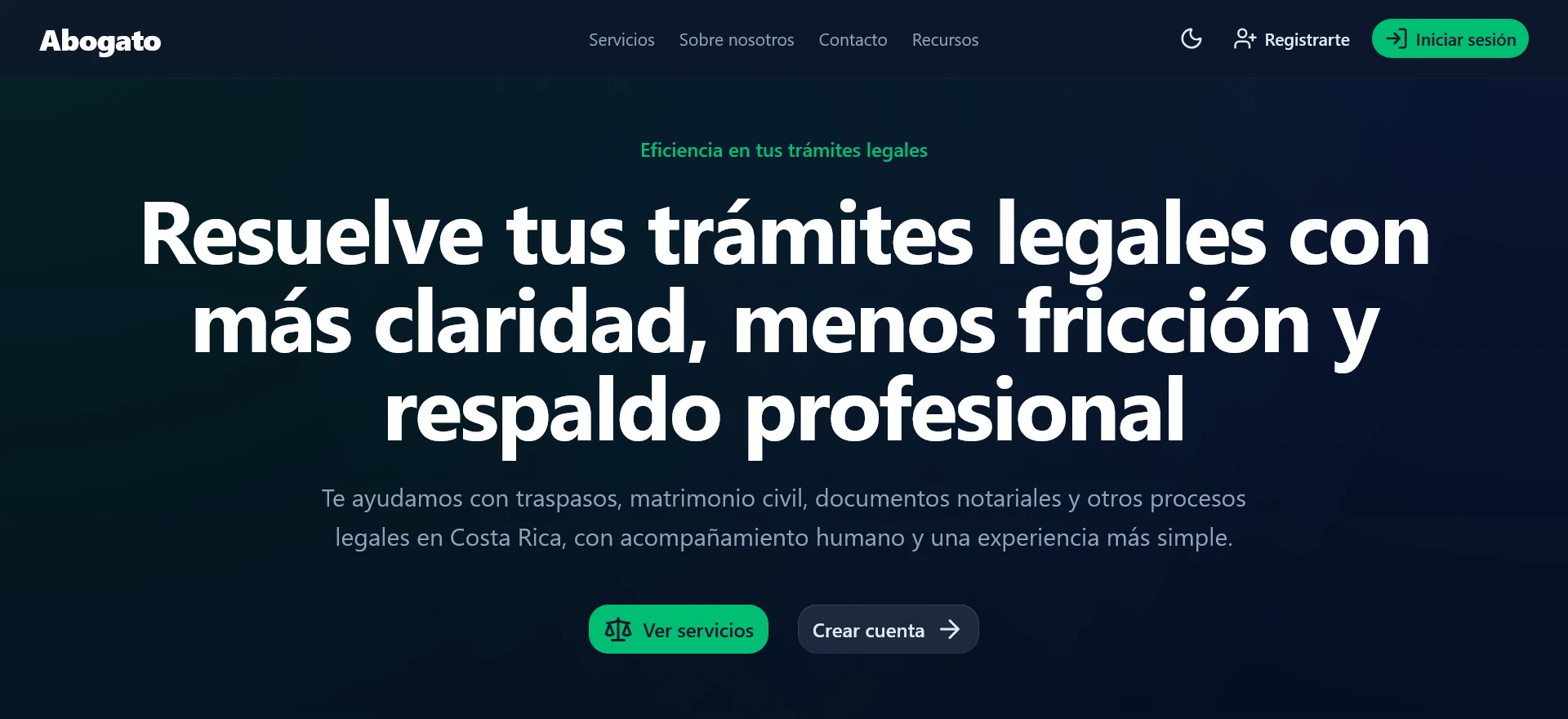
Service landing page. The public entry point presents the legal-service promise and directs people toward exploring services or creating an account.
01Service landing page
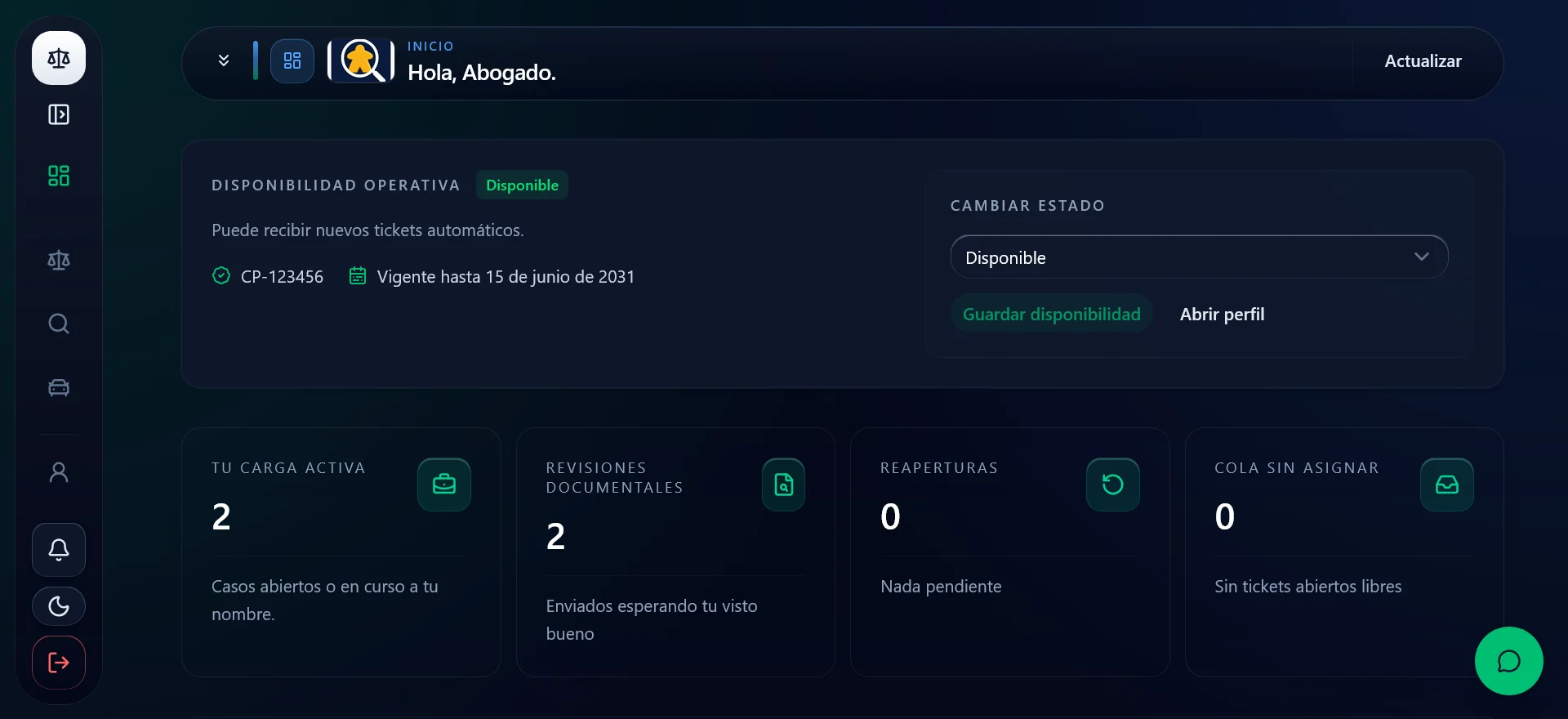
Operational dashboard. The professional dashboard summarizes availability, active workload, document reviews, reopenings, and unassigned cases.
02Operational dashboard
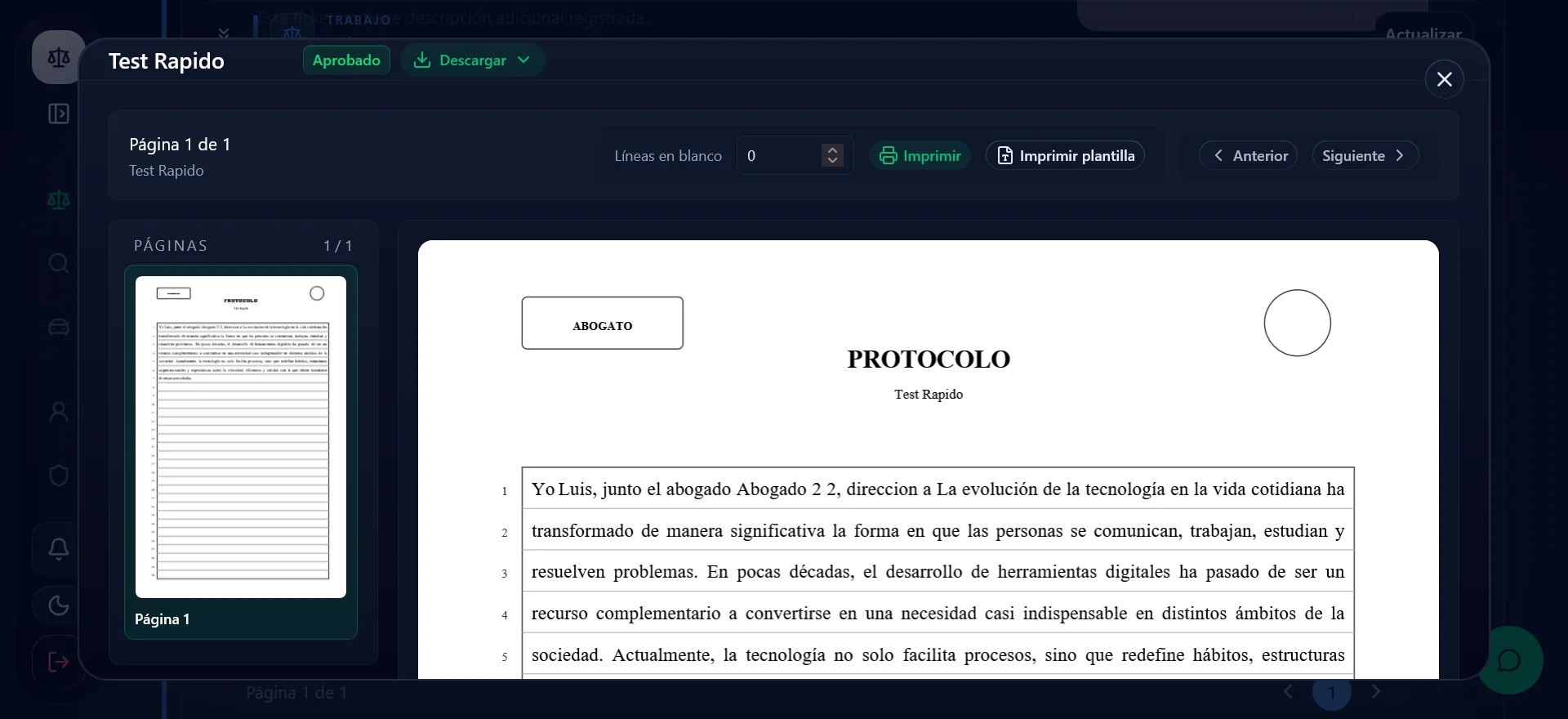
Document review. An embedded document viewer lets the professional inspect, navigate, print, or download a submission without losing case context.
03Document review
PLATFORMWeb
MY ROLEProduct Design · UX/UI · Full-Stack Development
TYPEEnd-to-end product
TECHNOLOGIESNuxt · Node.js · Express · PostgreSQL · Docker
VALIDATIONUser testing
01

The context

Starting a legal process can be intimidating. Clients may not know what information they need to provide, which documents are required, who is handling their request, or what happens after submitting a case.

At the same time, legal professionals often spend valuable time requesting missing information, explaining processes, organizing documents, and keeping clients updated. Abogato explores how technology can make this first interaction more structured for both sides.

02

The challenge

The challenge was not simply to create a website for lawyers. The product needed to support a real workflow involving different users, permissions, documents, revisions, and legal processes while remaining understandable to someone without legal knowledge.

How might we make the first stages of a legal case easier to understand for clients while giving legal professionals enough structure and control to manage each request efficiently?
03

My role

I worked across the complete product lifecycle, combining design and development. This allowed me to evaluate decisions from usability, technical, and operational perspectives.

  • Requirements analysis
  • User and stakeholder research
  • Information architecture and user flows
  • UX/UI design and prototyping
  • Database and system design
  • Frontend and backend development
  • User testing, QA, and implementation documentation
04

Understanding the workflow

Before designing screens, I mapped how a legal request evolves after a client contacts a professional. This revealed that a case could not behave like a simple form submission: it needed history, status, revisions, responsibilities, and clear communication between both sides.

Client submits request → Lawyer reviews it → Request is approved or returned → Client provides corrections → Lawyer reviews the new version → Case is resolved or closed
05

Designing around visibility

Visibility of status became one of the main UX principles. Both sides needed to see the same case through interfaces adapted to their responsibilities.

Clients need to understand

  • What they submitted and who is handling it
  • What stage the request is in
  • Whether something needs their attention
  • Why a request was returned and what to do next

Legal professionals need to prioritize

  • Incoming requests
  • Pending corrections
  • Document management
  • Case status and next actions
06

Designing the ticket system

The ticket system became the backbone of the platform. Each request behaves as an evolving case rather than a one-time submission.

Clients provide information and documents while lawyers review, approve, return with comments, or close the request. Corrections create a new version instead of overwriting the previous one, preserving a clear history of the interaction.

Design decision

The interface communicates the next action in plain language instead of exposing internal legal terminology. The goal is to reduce uncertainty without hiding the system’s structure.

07

Supporting the legal professional

The platform expanded beyond ticket management into a connected set of tools for case work.

Document management

Documents remain connected to their client, request, and case context.

Government information queries

The system supports consultations with public information sources relevant to Costa Rican legal work.

Role-based access

Clients, lawyers, and administrators receive capabilities based on their responsibilities.

Notifications

Important changes are surfaced so users do not need to constantly check the platform.

Virtual assistance

A guided assistant helps users understand common processes and navigate the platform.

08

From UX to system architecture

Many UX decisions had direct architectural consequences. Case revisions required previous versions to be preserved, while multiple roles required authorization to be enforced by the backend rather than only hidden in the interface.

The result uses a Nuxt frontend, Node.js and Express services, PostgreSQL for persistent data, and containerized deployment.

User experience → Business workflow → Technical architecture
09

Validation

I tested the main workflows with users and iterated on terminology, interactions, and the relationship between case status and available actions.

  • Can a client understand how to create a request?
  • Can they recognize when a lawyer needs more information?
  • Can they understand what they need to do next?
  • Can a legal professional identify the cases that require attention?
  • Are status changes understandable without additional explanation?
10

The final experience

Abogato evolved into a platform where clients and legal professionals interact through a structured workflow rather than fragmented conversations.

For clients, the experience focuses on guidance and clarity. For lawyers, it focuses on organization, traceability, and control. The result brings onboarding, ticket management, document workflows, legal information tools, permissions, notifications, and administration into one ecosystem.

WHAT I LEARNED

Lessons from
the process.

01

Complex systems need simple mental models

The workflow can be technically complex without requiring the interface to feel complex.

02

Status is part of the experience

Communicating what is happening can be as important as allowing users to perform actions.

03

UX decisions affect architecture

Versioning, permissions, and workflow states connect interaction decisions directly to the backend.

04

Designing for two sides changes the problem

Every important interaction has consequences for another user on the opposite side of the workflow.

NEXT EXPLORATION

What I would explore next

With additional time, I would conduct longer usability studies with multiple legal professionals and clients, focusing on onboarding, document preparation, and the terminology used throughout complex legal processes.