02 / 04Social catalog · Web app

Turning a personal board game collection into an easier way to discover what to play.

A web application for organizing, exploring, and sharing board game collections.

VIEW WEBSITE ↗︎
Social catalog · Web appBoard & Chill

Live product

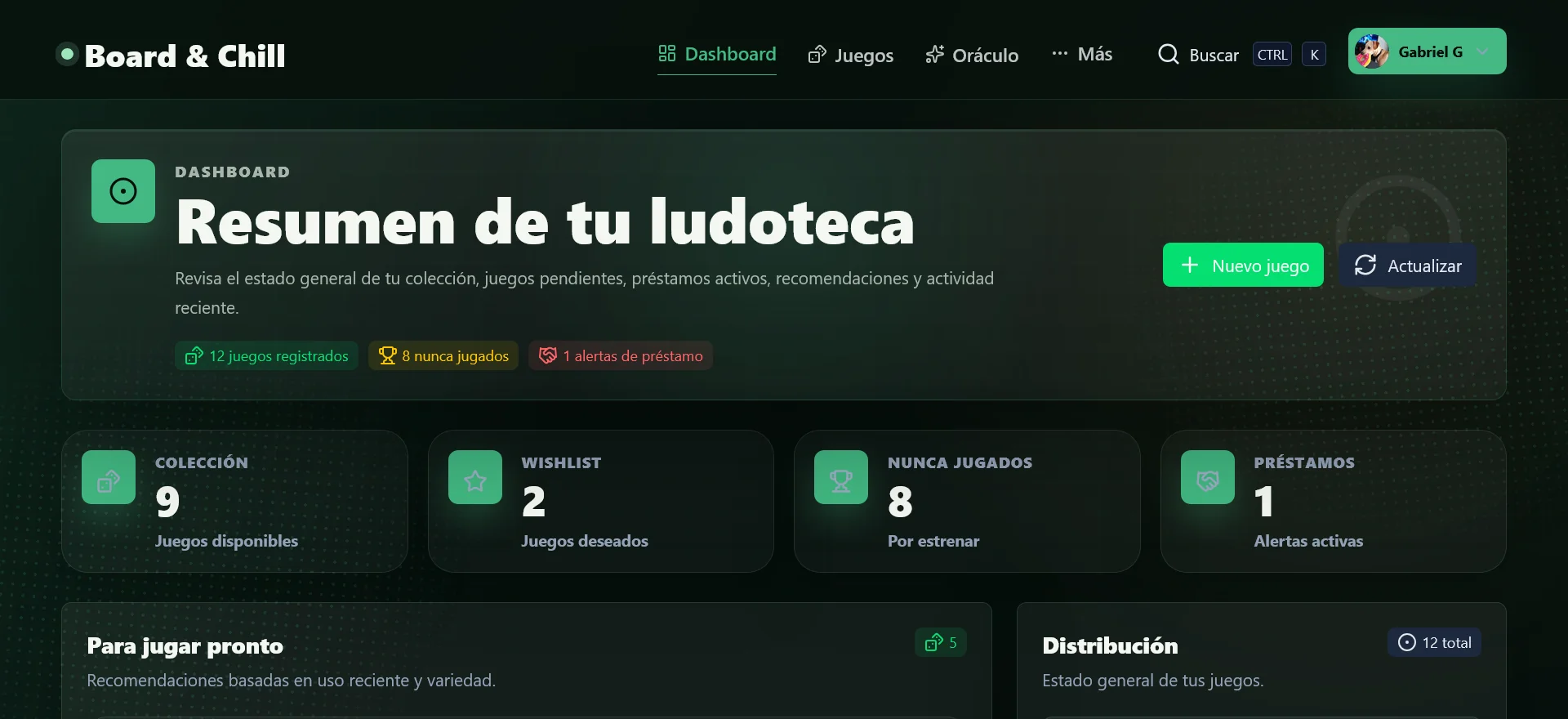
Collection dashboard. The dashboard condenses collection size, wishlist, unplayed games, loans, and recommendations into one useful overview.
01Collection dashboard
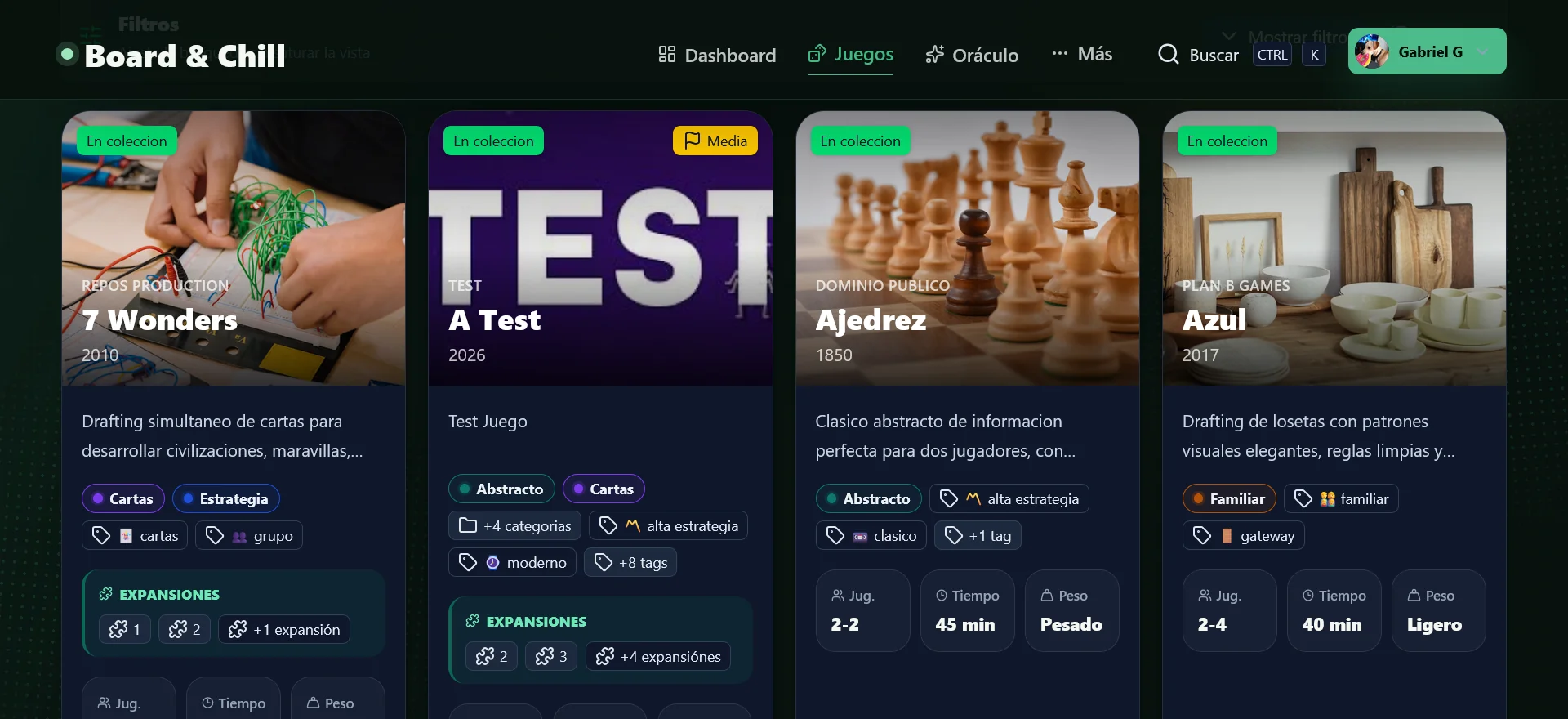
Game collection. Visual cards combine cover art, categories, expansions, player count, duration, and weight for fast comparison.
02Game collection
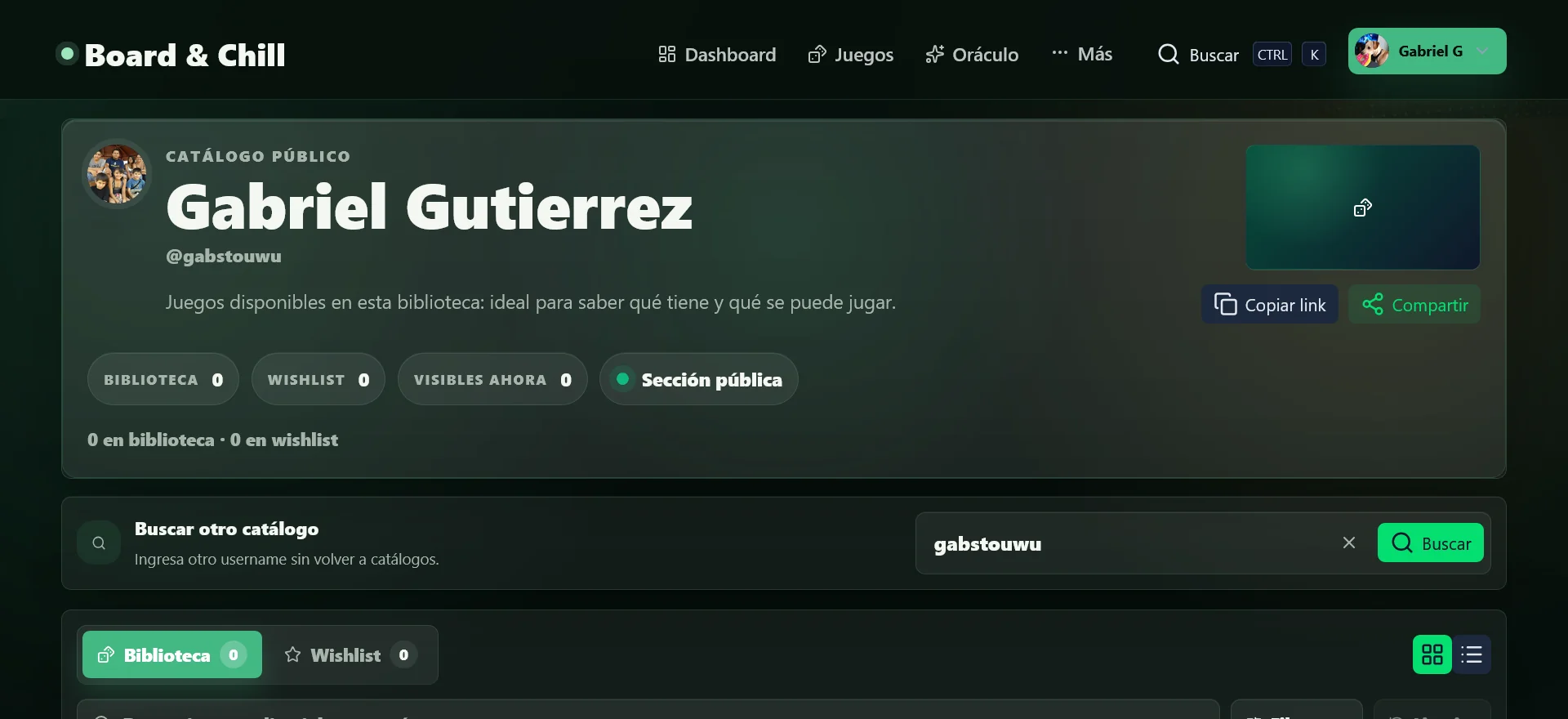
Public library profile. A shareable profile lets anyone explore a person’s library, wishlist, and public collection without requesting screenshots.
03Public library profile
PLATFORMWeb
MY ROLEUX/UI · Product Design · Full-Stack Development
TYPEPersonal practice project
TECHNOLOGIESNuxt · Nuxt UI · Tailwind CSS · Supabase · Vercel
VALIDATIONUser testing
01

The context

Board & Chill started from a simple real-world situation: managing a growing board game collection. Collections become difficult to navigate when games differ by player count, category, complexity, and preference.

What should we play tonight?
02

The challenge

I wanted the application to do more than behave like a spreadsheet with game covers. It needed to make a collection useful, supporting both organization and discovery without turning maintenance into another chore.

How might we make a board game collection easier to manage while also helping people quickly decide what to play?
03

My role

I designed and developed the product end to end, using it to explore both product and engineering decisions.

  • Product definition and user flows
  • Information architecture and UX/UI design
  • Responsive interface design
  • Authentication flows and database structure
  • Frontend development and backend integration
  • Deployment and user testing
04

From management to discovery

My first instinct was to focus on CRUD operations. Adding, editing, and deleting games were necessary, but they were not the real value of the product.

Once the games are in the application, the collection should help the user do something with them. Search, filtering, public collections, and game-night discovery became as important as maintenance.

05

Information architecture

The product was organized around a small set of core activities.

My Library

Browse and manage the games in a personal collection.

Search and filters

Discover games through categories, tags, and relevant attributes.

Wishlist

Separate games of interest from games already owned.

Public profiles

Share a collection through a username without exposing private account functionality.

Game Night

Narrow a collection using practical criteria and decide what to play faster.

06

Designing for fast scanning

Board game libraries are highly visual, so the interface uses cards and strong hierarchy instead of dense tables. Each card exposes enough information for a quick decision without overloading the interface.

Actions remain consistently positioned, while search and filtering prevent navigation from becoming inefficient as a collection grows.

07

Public and private experiences

The authenticated owner needs management tools, while a visitor only needs to explore. I treated public profiles as their own browsing experience instead of exposing editing controls everywhere and hiding them conditionally.

This created a cleaner visitor experience and clearer ownership boundaries.

08

Validation and iteration

I tested the application throughout development to see whether it remained understandable as more functionality was introduced.

  • Find a specific game
  • Understand how the collection is organized
  • Distinguish owned games from wishlist items
  • Navigate another user’s public collection
  • Use the available information to decide what to play
09

Technical implementation

Board & Chill uses Nuxt and a reusable component-based interface. Supabase provides authentication and persistent data, and the frontend is deployed through Vercel.

Moving beyond the prototype meant designing states that static mockups often miss.

  • Empty states
  • Authentication states
  • Loading states
  • Permissions
  • Responsive layouts
  • Form validation
  • Real database relationships
10

The outcome

The final application connects collection management with game discovery. Users can maintain a library, organize games, manage a wishlist, and share their collection publicly.

From “What games do I own?” to “What could we actually play right now?”
WHAT I LEARNED

Lessons from
the process.

01

Features should support a user goal

CRUD functionality was necessary, but it was not the product’s main value.

02

A populated collection changes the design

More games made information density and filtering significantly more important.

03

Public views require different priorities

Managing a collection and casually browsing it are two different experiences.

04

Development is part of UX

Authentication, responsive states, and connected data exposed problems that static mockups could not.